Make a Jatayu AI video
Last updated:
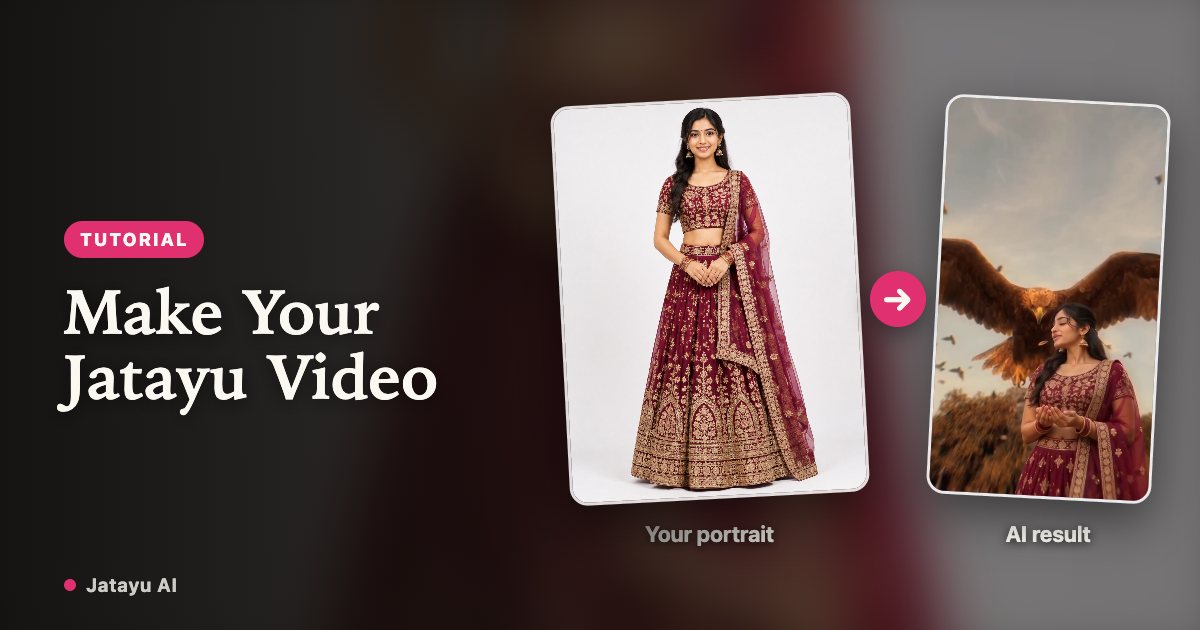
Start with a portrait that gives the model a clear face and shoulder line. This tutorial covers the prepared-scene workflow, its credit costs and the details to inspect before sharing. The example shows one accepted reference test and does not promise a particular result for every photo.
Jatayu scene — source and accepted AI result
1. Prepare a suitable portrait
Choose a recent photo of one consenting adult facing the camera. Keep the face, hairline and shoulders visible, with even light and little blur. Avoid group photos, sunglasses and strong filters. Only upload your own image or one you have permission to use.
Accepted file types are JPG, PNG, WebP, up to 10 MB. Both dimensions must be at least 300 pixels and the aspect ratio must be within 2.5:1. If a phone image is rejected, try a standard JPG export with a wider crop.
2. Upload and check the scene and cost
Choose your photo in the generator. On desktop you can also use the phone-upload code. Check the selected scene and length, then read the credit cost. The current option is a 7-second, silent 720p landscape clip.
| Length | Credits |
|---|---|
| 7 seconds | 10 |
3. Sign in and confirm consent
Sign in before submitting. Your selected photo and choices are kept while you sign in or return from checkout. If your balance is too low, the generator offers a credit pack that covers the selected render. Read the price and any subscription renewal terms before paying.
Confirm that the person is an adult, has given permission and is not a public figure. Submit the render once and check its status in the generator or My videos. Processing time depends on the model and queue; leaving the page does not mean you need to request a second render.
4. Check the face, wings and background
Play the whole clip. Look for facial drift, extra fingers, feathers merging into the person and sudden changes in background geometry. Check every part of the 7-second clip. If the task fails, its credits return automatically; a completed result still needs your own visual review.
5. Download and share responsibly
Download the MP4 before its retention period ends. Keep the AI label and say the clip is generated when sharing. No licensed soundtrack is included, so use only music you are allowed to add. Public sharing from the account is optional; enable it only when you want a watchable link.
If something goes wrong, contact support with the video or order identifier. For a rights complaint, use the report page. Never include a password, API key or payment card number in a message.
FAQ
How many credits does a Jatayu video cost?
The current options are 7 seconds for 10 credits. Check the selected option before submitting.
How long will generation take?
There is no guaranteed turnaround. It depends on the provider, clip length and queue. Check My videos for the current status.
Can I use a pet photo?
No. This scene is configured for one consenting adult. Pet, child and public-figure photos are not supported.
Your Jatayu moment is one photo away
Create my video